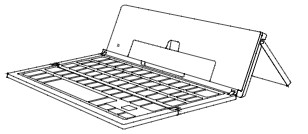
The Pocket Keyboard is no longer in production, but here is a guide to powering the device on and off.
Your Pocket Keyboard is designed for ultimate portability; this includes powering on and off with ease.
- To turn your Pocket Keyboard on, unfold it completely.
- Remove the gray paper strip, and press fn + Battery Key to wake from hibernation; An LED will light green to indicate it is on.
- Note: You only need to wake your keyboard the first time you use it.
- To turn your Pocket Keyboard off, fold it up completely.
- As you close the last panel, the LED will light red to indicate the keyboard has powered off.