This guide applies to the SKU: A97RGK-BB0. For more information, feel free to check out the amazing benefits of your Rugged Book at the link here: Rugged Book for iPad Pro 9.7-in, iPad 9.7-in, iPad Air 9.7-in
Insert your tablet into the Rugged Book case:
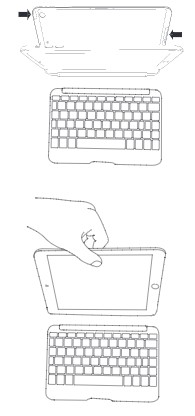
- Open the Book’s case and remove it from the keyboard. To do this, pull the case up and away from the keyboard.
- Line up your tablet with the holes in the case. Make sure the camera hole is aligned properly as well as the opening for your charging cable.
- When everything is aligned, set the bottom half of your tablet in the cover and apply light pressure to ensure it’s properly settled. See the photo below,
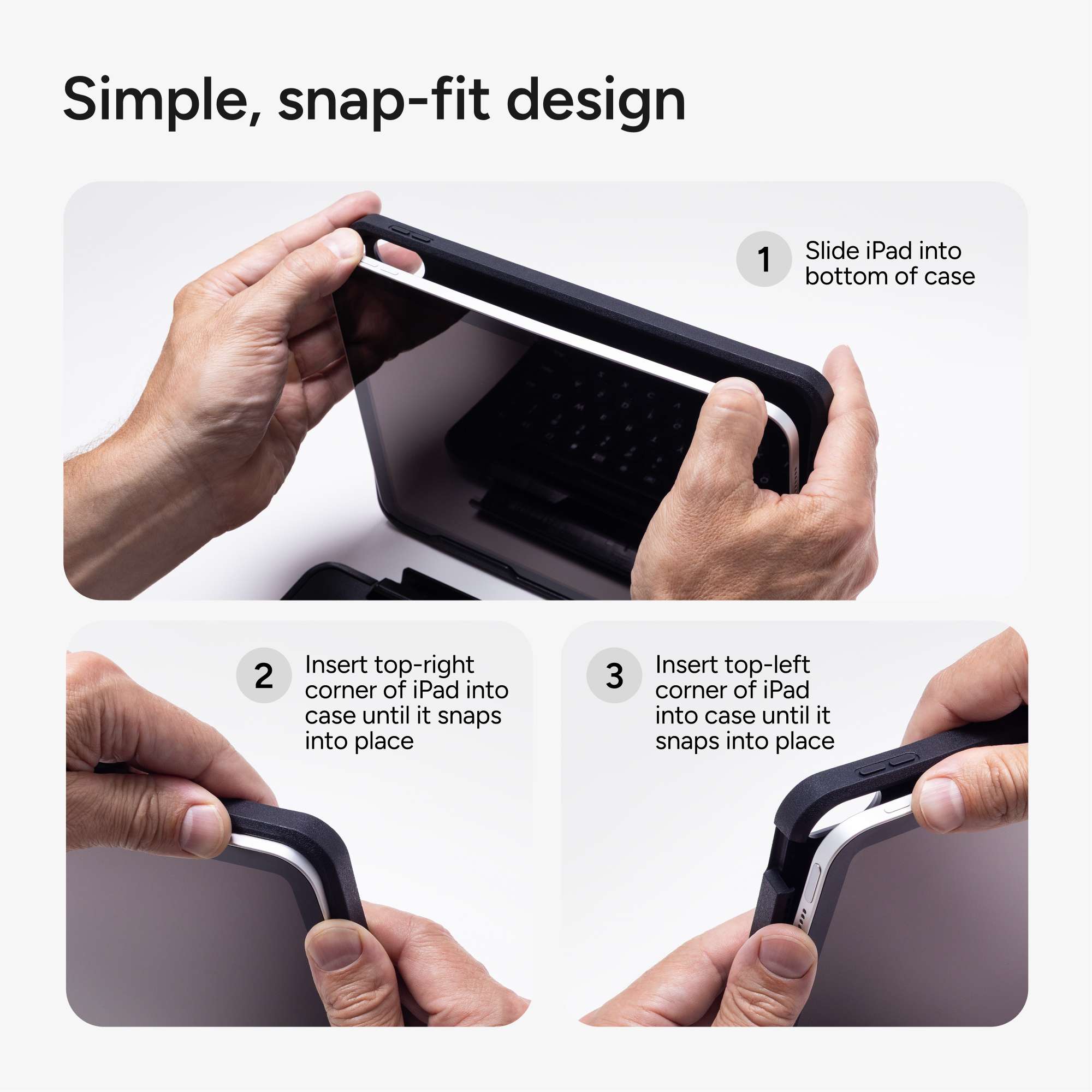
When your tablet is secure in the case, you can connect it to the keyboard by placing it in the magnetic trough.
Powerful magnets will secure it in place, but will also allow you to remove your tablet any time it benefits you.
To easily remove your tablet from the case, separate the case from the keyboard, and then gently roll the rubber overmold away from the edges while pressing the tablet from behind.
Grasp your tablet’s exposed side and lift/pull away from the Rugged Book. See the photo below,